
Forex VPS for MetaTrader: what you need, and which one I use
An Expert Advisor only works while MetaTrader is running. A forex VPS solves that by running your platform on a machine in a data centre that stays on permanently. Close the laptop, lose your internet, or let Windows restart overnight, and without one the EA stops watching the market.
A VPS solves that by running MetaTrader on a machine in a data centre that stays on permanently. This page explains what actually matters when choosing one, and which provider I use.
This page contains an affiliate link. If you sign up through it I may receive a small commission at no extra cost to you. It doesn't change what I write, and I only recommend things I use myself. If you'd rather not use my link, go straight to FXVM's own website instead — the service and the price are the same either way.
The provider I use
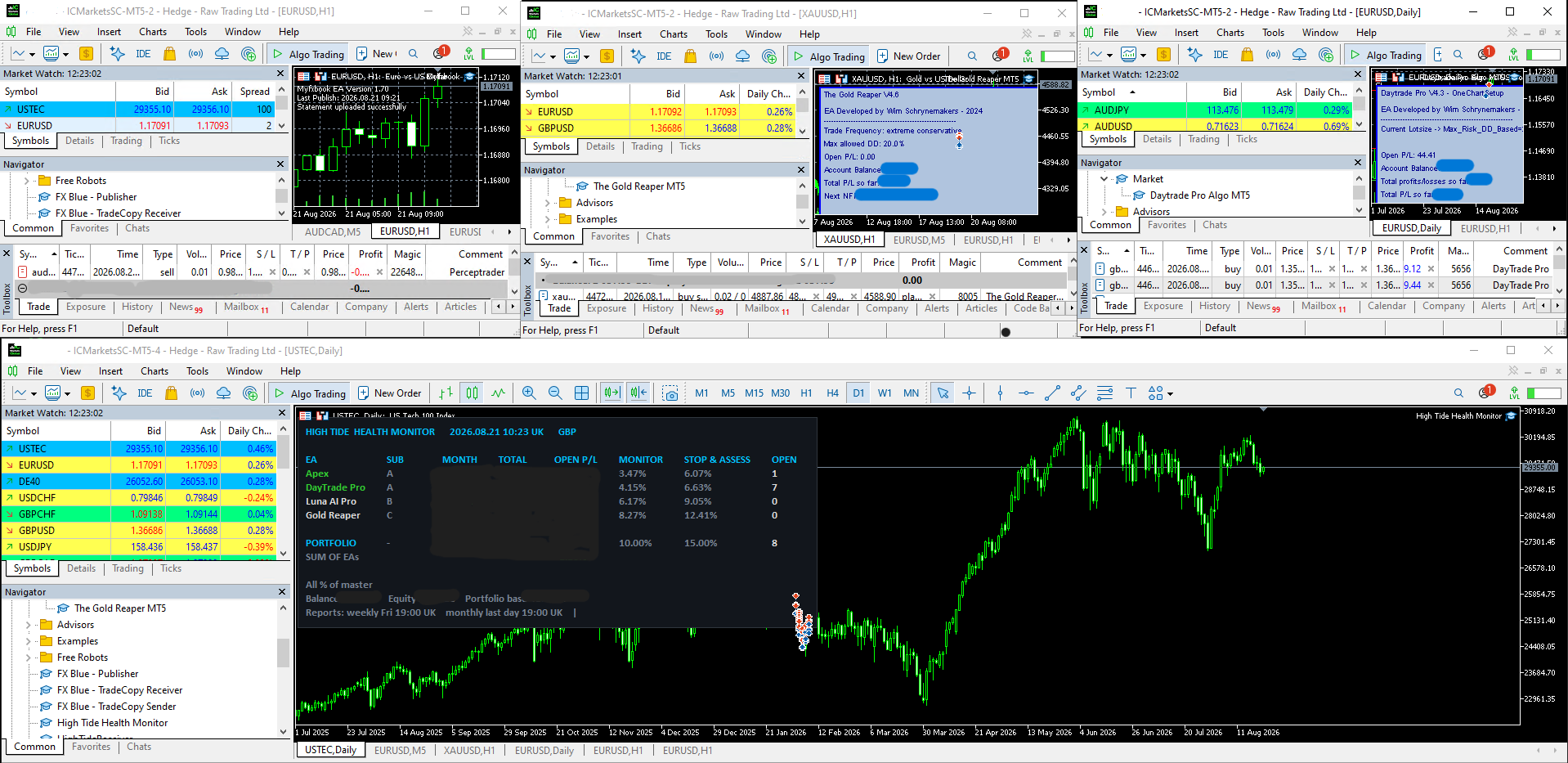
I run my own accounts on FXVM. I’ve had 3 servers running with them since 2023. These are all the advanced VPS with 4/5 MetaTrader terminals running. As per their suggestion the VPS’s are in New York to decrease any potential latency as I use IC Markets that is also based in New York.
What I'd say honestly: The support is quick and helpful and I’ve never had any connection issues. The last thing you want is to be chatting to support trying to fix an issue with your VPS. The trading is hard enough! The one issue I’ve had is that it can be very slightly slow to change terminals occasionally but I don’t believe that performance is affected in any way. They frequenctly run lifetime discounts as well.
Affiliate link. I may earn a small commission at no cost to you, and you're welcome to go direct to FXVM instead if you'd prefer.
Do you actually need one?
It depends what you're running, and it's worth being honest that not everyone does.
You probably do if your EA trades around the clock or during hours you're asleep, if it manages positions actively rather than setting a stop and walking away, if you're running a trade copier where both terminals need to stay up, or if your home connection is unreliable.
You probably don't if you're still forward testing on demo, if your system trades a few times a week during hours you're at your desk anyway, or if you're not yet running real money. Don't add a monthly cost before there's something worth protecting.
What actually matters in a VPS
| What you're running | Terminals | Typical plan |
|---|---|---|
| One EA, testing or light use | 1–2 | Entry level |
| Several EAs across accounts | 3–5 | Mid tier |
| Trade copier, both ends on one machine | 2+ | Mid tier |
| Heavy per-tick calculation | Any | Higher CPU |
How much does a forex VPS cost?
They start at roughly $20 / £15 a month (you can pay for a full year at a discounted rate) and depend on the number of metatrader terminals you’d like to run.
Is a free VPS from my broker good enough?
I haven’t expericed any issues with them although I haven’t tested many broker VPS’s. You usually need to trade a minimum number of lots per month in order to qualify for one though. Their incentive is to earn more commissions per trade from you. IC markets for example requires a minimum of 15 lots traded per month.
Uptime
The whole reason you're paying. Look for a published uptime guarantee, and see what people say when there's an outage, because there always is one eventually.
Latency to your broker's server
This is the one people get wrong. What matters isn't the VPS being physically near you, it's being near your broker's trading servers. Most brokers host in London, New York or Amsterdam. A VPS in the same data centre region as your broker will execute faster than one down the road from your house.
Worth being clear about the size of the effect: lower latency reduces slippage at the margins. It won't turn a losing system into a winning one, and any provider suggesting otherwise is overselling.
Specification
MetaTrader is lighter than people assume. One or two terminals run comfortably on a modest allocation. Where you need more is when you're running several terminals, or an EA doing heavy calculation on every tick. Check RAM and CPU against how many charts and terminals you'll actually have open, and remember MT5 uses more than MT4.
Windows and staying on
MetaTrader needs Windows. Check how the provider handles Windows updates and reboots, because a forced restart at 3am is exactly the problem you bought the VPS to avoid.
Support hours
If your VPS goes down on a Sunday night before the open, you want someone to answer. Check whether support is genuinely around the clock.
How to set it up
The general process is the same with any provider. You sign up and receive login details for a Windows machine, connect to it using Remote Desktop from your own computer, install MetaTrader on the VPS, log into your trading account, attach your EA to a chart, and enable automated trading. Then you disconnect and the VPS keeps running.
FXVM also run you through how to load up all of your terminals automatically on restart, which they suggest doing each weekend.
Questions
Do I need a VPS to run an Expert Advisor?
Not always. You need one if the EA has to run at times when your own computer would be off or offline, which covers most systems trading around the clock. For a system that trades a handful of times a week while you're at your desk, it's optional.
Can I just use my own computer?
You can, and plenty of people do while testing. The risks are power cuts, internet drops, Windows updates restarting overnight, and the machine going to sleep. Any of those leaves an open position unmanaged.
Does a VPS make my EA more profitable?
No. It makes it more reliable. Lower latency can slightly reduce slippage, but a VPS doesn't improve a strategy. It stops your strategy being interrupted, which is a different thing.
Which VPS location should I choose?
The one closest to your broker's servers, not to you. Ask your broker where they host — London, New York and Amsterdam cover most of them.
What specification do I need?
For one or two MetaTrader terminals, an entry-level plan is usually enough. Scale up if you're running several terminals, a trade copier with both ends on the same machine, or an EA doing heavy per-tick calculation.
Can I run my trade copier on a VPS?
Yes, and for my copier you'd want to, since the Sender and Receiver both have to run on the same machine. One VPS with both terminals on it is the normal setup.
Not sure whether you need one yet? Ask me — the answer is sometimes no, and I'd rather tell you that than have you pay for something you don't need.